


MyCard - Contactless Payment
4.0120.00 Reviews
App Specs
- Version
- 1.21
- Updated On
- License
- $17.99
- Downloads
- 10,000+
- Developer
- Road Dogs
- Categories
- Finance
- Platform
- Android
Screenshots
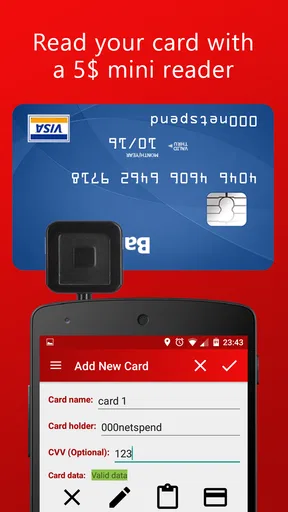
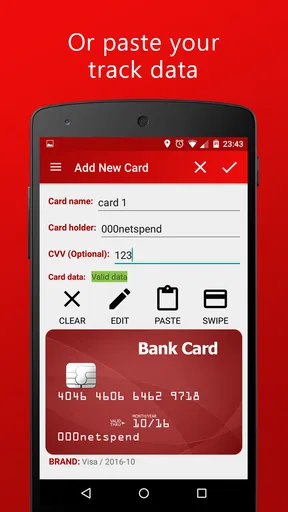
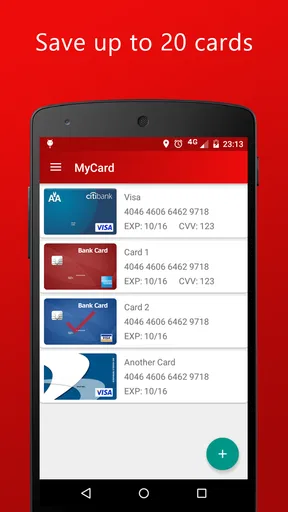
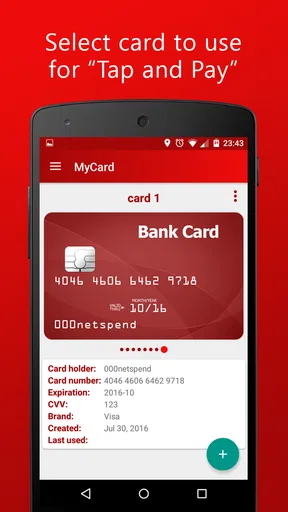
 Analysis by AppCompare
If you are looking for a way to experiment with contactless payments from your phone, MyCard - Contactless Payment is an unusually focused finance app. It is built around the idea of using a compatible phone as a contactless bank card, rather than trying to become a full budgeting, banking, or money-management suite. I found that narrow purpose helpful: there is less to learn, but it also means the app is only worthwhile if its payment approach fits your phone, card, and everyday routine.
My first impression was that this is an app for people who want to reduce the number of physical cards they carry. It is not the kind of finance tool I would install to track spending, plan a monthly budget, or compare accounts. Its job is much more specific. The important question is not whether it has a long list of financial tools, but whether it can make a contactless payment workflow practical for you.
What to expect before installing MyCard
MyCard is a finance app from Road Dogs, with an Everyone age rating and a current version of 1.21. It requires Android 5.0 or later, so it is compatible with a wide range of older Android phones as well as newer devices. The app costs $17.99, which immediately makes the decision more serious than downloading a free wallet or banking companion. I would only consider paying that amount after checking that my phone and intended card setup were suitable.
The app has reached over ten thousand installs and holds a 4.0 average from around three hundred ratings. That gives me a useful but modest signal: there is a real user base, yet this is not a universally adopted payment platform. I would treat it as a specialized solution rather than an automatic replacement for the contactless wallet already supported by a bank or phone manufacturer.
The biggest expectation to set is that contactless payment depends on more than the app itself. The phone needs the right hardware, the card arrangement needs to work with the app’s method, and the payment terminal must accept contactless transactions. A successful setup therefore involves compatibility checks and a little patience. If you expect to install it and immediately tap at any checkout without thinking about those conditions, you may be disappointed.
On the other hand, if you already understand how contactless payments work and want a deliberately simple tool, the focused design can be appealing. I like apps that do one job clearly, especially for a task I may need while standing in a queue. MyCard’s value is tied to that simplicity, not to a large collection of extras.
Who is most likely to benefit
I see the strongest fit for someone who carries a compatible Android phone, wants a card-like payment option, and does not want a broader personal-finance dashboard. It may also suit a person who prefers keeping a dedicated payment app separate from their bank’s main application. That separation can make the payment task easier to find, although it also means you should not expect your banking activity and payment tools to be combined in one place.
Worth Reading Before You Choose

EA SPORTS FC Mobile 26 Is a Bigger Football Game, but It Takes Time

Flipboard Shows What News Apps Must Do Beyond the Feed

Switching to Android Auto Means Rethinking Your Driving Routine

Google Calendar Makes a Crowded Week Easier to Manage

Ludo King Makes the Most of the Minutes Between Plans

Baby Panda World Brings Quick Play to Modern Phones, but Its Game Library Feels Busy
I would be more cautious if you already have a dependable contactless wallet included with your phone. In that situation, the usual alternative may be cheaper, more familiar, and better integrated with the rest of your device. MyCard has to justify its price through a workflow that is more useful to you, not merely through the fact that it can make contactless payments.
It is also not the right choice for anyone who mainly wants spending insights. There is no reason to choose a payment-focused tool when your real need is categorization, account balances, bill reminders, or financial planning. Those jobs belong to a banking or budgeting app. MyCard should be judged as a payment utility, not as a complete money-management system.
Getting through the first setup
I recommend approaching setup in a calm, deliberate order rather than trying it for the first time at a busy checkout. Start by confirming that your phone meets the Android requirement and has the hardware needed for contactless communication. If your device does not support the necessary contactless function, no setting inside the app can solve that limitation.
Next, think about the card you intend to use. Have the relevant card details available, and make sure you understand which account you are choosing before beginning. This sounds obvious, but payment setup is exactly where rushing creates avoidable confusion. I would not start while distracted, travelling, or waiting for a cashier to finish scanning items.
The app’s price is another part of setup planning. At $17.99, this is not an impulse installation for me. I would first check the phone’s contactless capability, review whether my normal bank or device wallet already handles the same task, and decide whether MyCard offers a meaningful reason to switch. That small preparation can prevent paying for an app that duplicates something I already use comfortably.
When entering payment information, I would follow the app’s prompts carefully and avoid guessing if a field or instruction is unclear. Payment tools deserve a slower approach than ordinary utilities. I would also keep my physical card nearby during the initial process, because it gives me a fallback and makes it easier to verify that I am configuring the intended account.
Why the first test should be low pressure
My practical advice is to test the setup with a small, ordinary purchase before relying on it for an important transaction. Choose a shop where contactless payments are already familiar and where you can comfortably use another payment method if the first attempt does not work. This is not a criticism of MyCard specifically; contactless transactions involve the phone, the app, the card, and the terminal, so a controlled first test tells you more than a hurried attempt ever will.
Keep the phone positioned as you would with any contactless payment, and give the terminal a moment to respond. People often move the phone away too quickly because they expect an instant result. I find that treating the first payment as a short confirmation process, rather than a dramatic tap-and-go gesture, reduces needless retries.
Another useful habit is to keep the physical card available until you have completed more than one successful test. A single successful transaction shows that the basic path works, but it does not prove that every shop, terminal, or situation will behave identically. Once you know the app works reliably for your normal purchases, carrying the backup card becomes a choice rather than an emergency measure.
The first successful payment
The meaningful success with MyCard is simple: you reach a contactless terminal, use the phone in the expected way, and complete a purchase without taking out the physical card. That moment is where the app either earns its place or becomes an expensive duplicate. I would judge the experience by how little attention it demands after setup.
For a realistic example, imagine stopping at a café on the way to work. Your wallet is in a bag, your phone is already in your hand, and the cashier presents a contactless terminal. If MyCard is configured correctly and the phone is ready, the advantage is convenience: one familiar device handles the payment, and you do not need to search for the correct card. That is a small benefit, but repeated small benefits are exactly what make a payment app worth keeping.
The best first-use routine is to prepare before reaching the counter. Open or ready the payment function when appropriate, check that you have selected the intended payment method, and avoid juggling the phone, wallet, and shopping items at the same time. This preparation is a non-obvious strength of a focused app: once you learn where the payment action begins, the interaction can become predictable.
I would not measure success only by speed. A fast payment that leaves you unsure which card was used is not a good experience. I prefer a clear, repeatable process where I know what I am presenting and can recognize whether the terminal has accepted it. For a finance app, confidence matters as much as convenience.
Turning the first test into a dependable routine
After the first successful payment, try the same process again in another normal setting rather than immediately changing several options. Repeating the basic workflow helps identify whether the success came from a stable setup or from a one-off combination of terminal and timing. Once the routine feels natural, you can decide whether MyCard deserves a permanent place on your phone’s home screen or in an easy-to-reach folder.
I also recommend deciding in advance what you will do if a payment fails. Keep a physical card or another accepted method available, and do not repeatedly tap without checking what the terminal is showing. A failed attempt can be caused by the phone’s position, the terminal, the selected card, or the transaction environment. The sensible response is to pause, use the backup method, and investigate later rather than holding up the queue.
This is where MyCard differs from a traditional bank card. A physical card is usually ready as soon as you carry it. A phone-based method adds a device layer: the phone must be available, sufficiently usable, and correctly prepared. The trade-off is convenience when the phone is already in your hand, balanced against dependence on that device.
Common points of confusion
The first confusion is assuming that installing the app automatically turns any phone into a payment card. It does not make hardware limitations disappear. Before blaming the app, check the phone itself and the contactless conditions around the payment. This is the first compatibility question I would answer, because it determines whether further setup effort is worthwhile.
A second confusion is treating every contactless terminal as identical. A terminal may display the contactless symbol while still responding differently depending on the card, payment method, or transaction. If one checkout does not work, that does not automatically prove that the entire setup is unusable. Try to separate a one-time terminal problem from a repeatable issue with your phone or configuration.
Users can also confuse a payment app with a bank account manager. MyCard’s central purpose is presenting a contactless payment method, not replacing the bank’s tools for reviewing transactions or managing an account. I would continue using the relevant banking service for account information and treat MyCard as the front end for the payment action.
The cost may create another point of confusion. A paid app is not necessarily better than a free wallet, and a free alternative is not necessarily better for every person. The fair comparison is practical: does MyCard give you a payment workflow you prefer enough to justify $17.99? If your phone already provides the same convenience through a trusted, familiar option, I would probably stay with that option.
When a different option makes more sense
I would skip MyCard if I need broad financial management, automatic expense organization, or a payment method that is already fully integrated into my bank’s official app. I would also skip it if I am unwilling to carry a backup during the learning period. The app is most convincing when its specific approach solves a real inconvenience, not when it is installed simply because contactless payments sound useful.
For someone with an older Android phone that meets the minimum system requirement but lacks suitable contactless hardware, the age of the operating system is not the important issue. Hardware compatibility is. In that case, a physical card or a different device would be the more sensible route. This is a good example of why the minimum Android version should not be treated as a complete compatibility guarantee.
There is also a privacy and trust decision that comes with any payment application. I would only use a tool like this after reading its on-device prompts carefully and understanding the payment arrangement I am accepting. I would avoid installing it on a phone shared casually with other people, and I would protect the device with the normal security measures I already use for financial activity.
My practical verdict after using it
MyCard - Contactless Payment is a narrowly defined finance app that can make sense for the right Android user. I appreciate that its purpose is easy to understand: it aims to let the phone take the role of a contactless bank card. The focused approach can make everyday checkout less dependent on carrying a physical card, especially when the phone is already the device I reach for most often.
Still, the $17.99 price changes my recommendation. I would not call it an automatic purchase when many people may already have access to contactless payments through a bank or device wallet. The app needs to fit a specific need, and the phone, card, and terminal all need to cooperate. Those conditions are manageable, but they mean the decision deserves more thought than a normal free utility download.
My suggested path for a first-time user is straightforward: confirm the phone’s contactless capability, compare MyCard with the payment option you already have, prepare the intended card, complete setup away from a checkout, and test it with a small purchase while carrying a backup. If that first success becomes a comfortable routine, the app has done its job. If the setup feels uncertain or duplicates a trusted alternative, there is little reason to force the switch.
For me, the strongest reason to recommend it is not a promise of extra financial features. It is the possibility of a simple, phone-centered payment habit for someone who specifically wants that arrangement. Choose MyCard for the payment workflow, not for features it was never meant to provide. That distinction makes the $17.99 decision clearer and helps the app find the users who are most likely to be satisfied with it.
Pros
- Fast contactless payments using a compatible smartphone
- Convenient card management in one mobile wallet
- Reduces the need to carry physical payment cards
- Useful transaction history for monitoring recent purchases
- Contactless checkout can make everyday payments more hygienic
Cons
- Requires an NFC-enabled device and compatible payment terminal
- Availability and supported cards may vary by country
- Some features may require account verification or personal details
- Phone battery failure can prevent access to contactless payments
- Not every merchant accepts mobile contactless payments
FAQs for MyCard - Contactless Payment
What is MyCard - Contactless Payment and how does it work?
MyCard - Contactless Payment is designed to let users make purchases by tapping a compatible smartphone or payment device on a contactless terminal. After adding and verifying an eligible card, the app communicates with the terminal using NFC technology. The exact process can vary by country, bank, device, and supported card network, so users should confirm compatibility before relying on it for everyday payments.
Is MyCard - Contactless Payment safe to use for purchases?
Contactless payments generally use security measures such as device authentication, tokenized card details, and encrypted communication rather than exposing the physical card number directly to every merchant. However, safety also depends on keeping your phone updated, using a screen lock, downloading the app from an official store, and avoiding suspicious links. If your phone or card is lost, contact your bank promptly.
Which phones, cards, and payment terminals are compatible with MyCard?
Compatibility depends on the app version, your Android or iOS device, NFC availability, operating-system requirements, issuing bank, and the card network supported by MyCard. Your phone may also need NFC enabled and, in some cases, a secure lock screen. Most modern contactless terminals may work, but not every merchant, card, or region is guaranteed to be supported.
Does MyCard - Contactless Payment charge fees for using contactless payments?
The application may not charge a separate fee for making a contactless transaction, but this should not be assumed in every situation. Your bank, card issuer, mobile operator, currency-conversion provider, or merchant could apply charges depending on the transaction and location. Before using the service abroad or with a different currency, review the terms provided by your bank and the app.
What should I do if a payment fails or my phone is lost?
If a payment fails, check that NFC is enabled, the phone is unlocked as required, the selected card is valid, and the device is held close to the terminal for a few seconds. You can also try another terminal or contact your bank if the problem continues. If the phone is lost or stolen, lock or erase it remotely and immediately notify your bank to suspend the digital card.


